Run home time with confidence, not clipboards
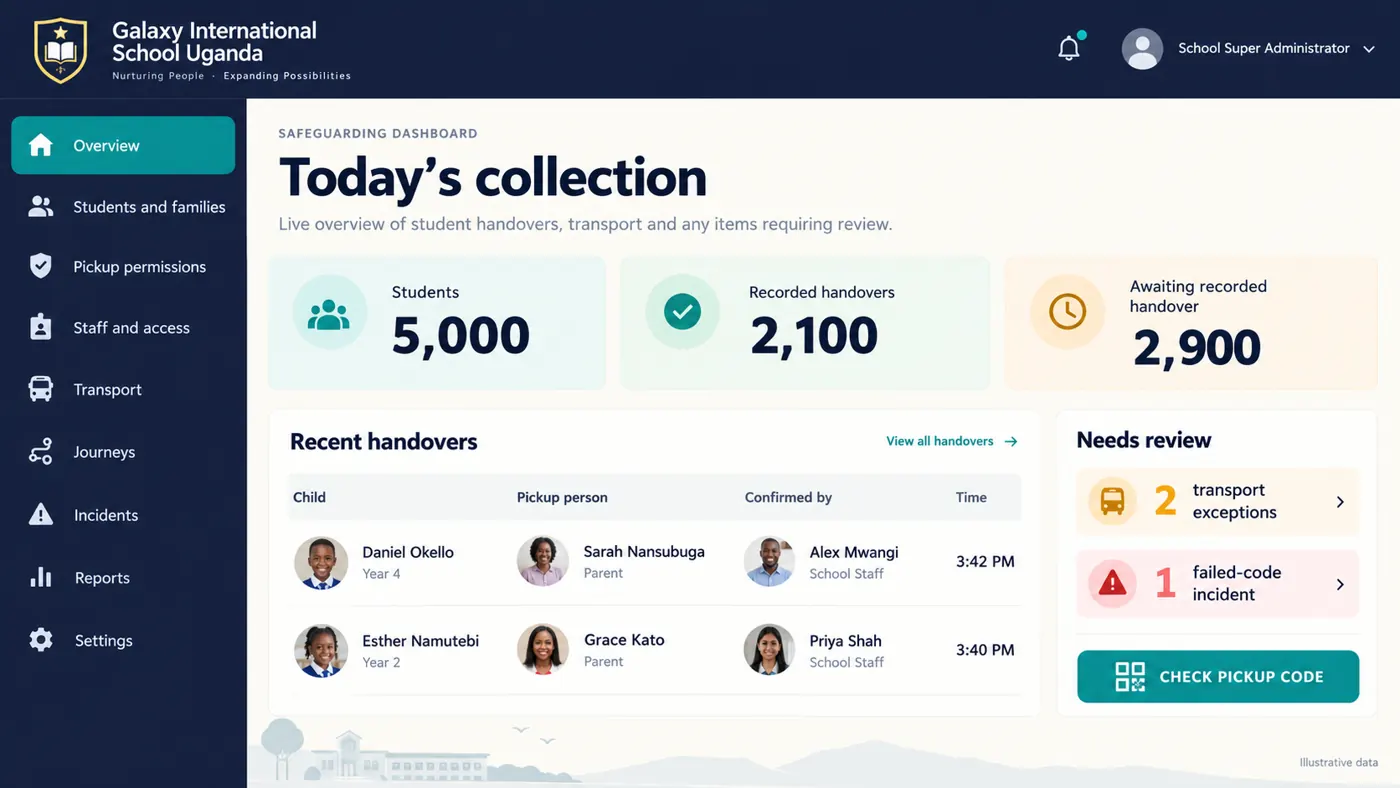
Guardian gives your staff a fast, photo-checked pickup process at every gate, and gives leaders a complete record of every handover, transport run and incident.
 Illustrative data
One system for collection, transport and families
Gate check
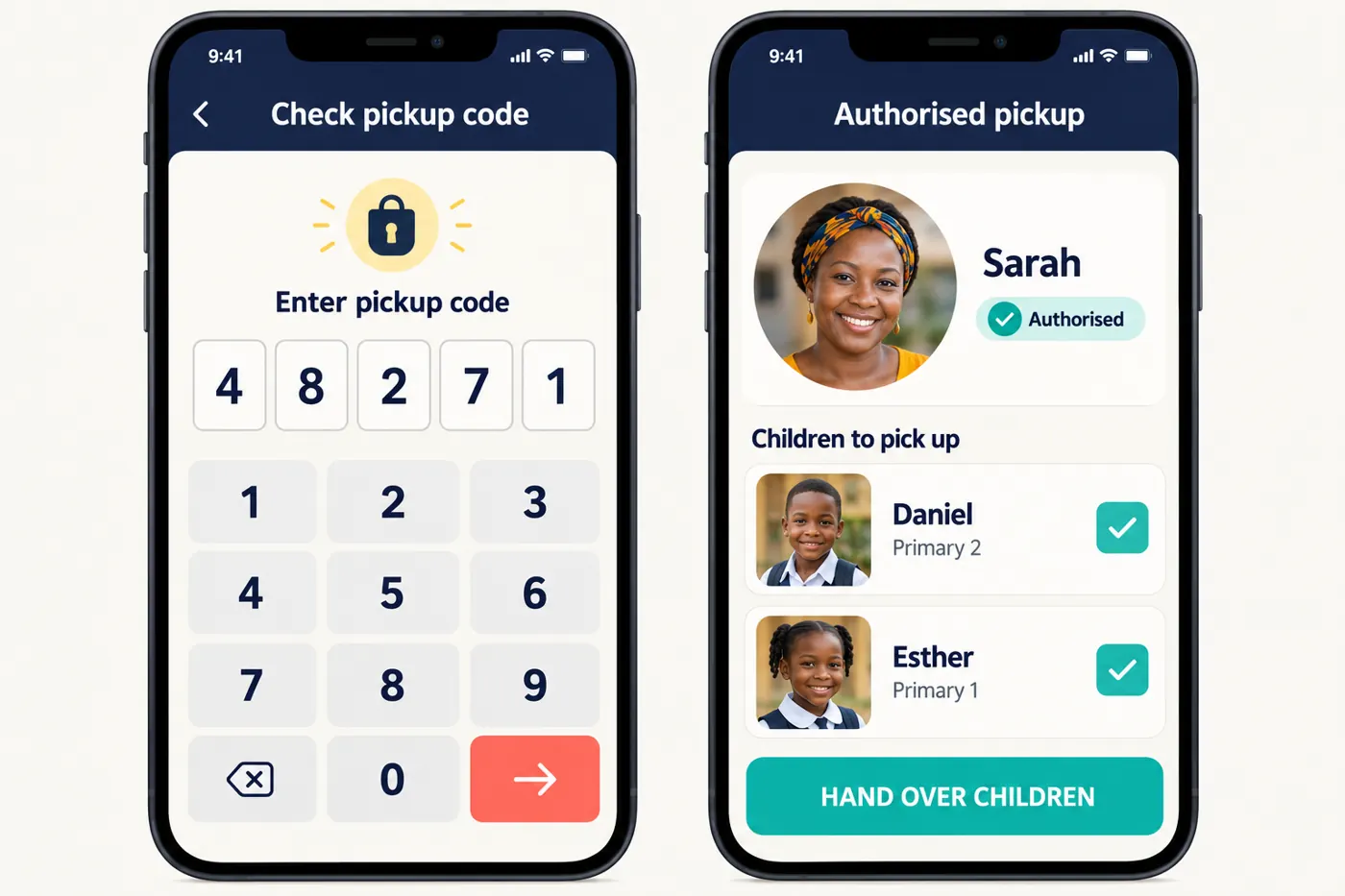
Staff enter the five-digit code, see the adult's photo and only the children they may collect, then record the handover in one tap.
Students and families
Register students, invite parents and link each family carefully. Matching names never merge families automatically.
Staff and access
Every staff member has their own account. Grant only the duties they need, for as long as they need them.
School transport
Drivers, vehicles and trips with on-board attendance, school release and van updates for parents.
Incidents and reviews
Failed-code attempts, emergency handovers and safeguarding concerns land in one review queue.
Reports and exports
Collection history, arrivals and permission changes as Excel, CSV or PDF, prepared in the background.
 Illustrative data
A code finds the permission. A person confirms the release.
A valid code is only the start. Staff still compare the photograph and choose which children are physically present, and Guardian rechecks everything before recording the handover.
- Already-released or restricted children cannot be selected
- Two staff tapping at once can never record a second release
- Emergency handovers need explicit rights and a recorded reason
 Illustrative data
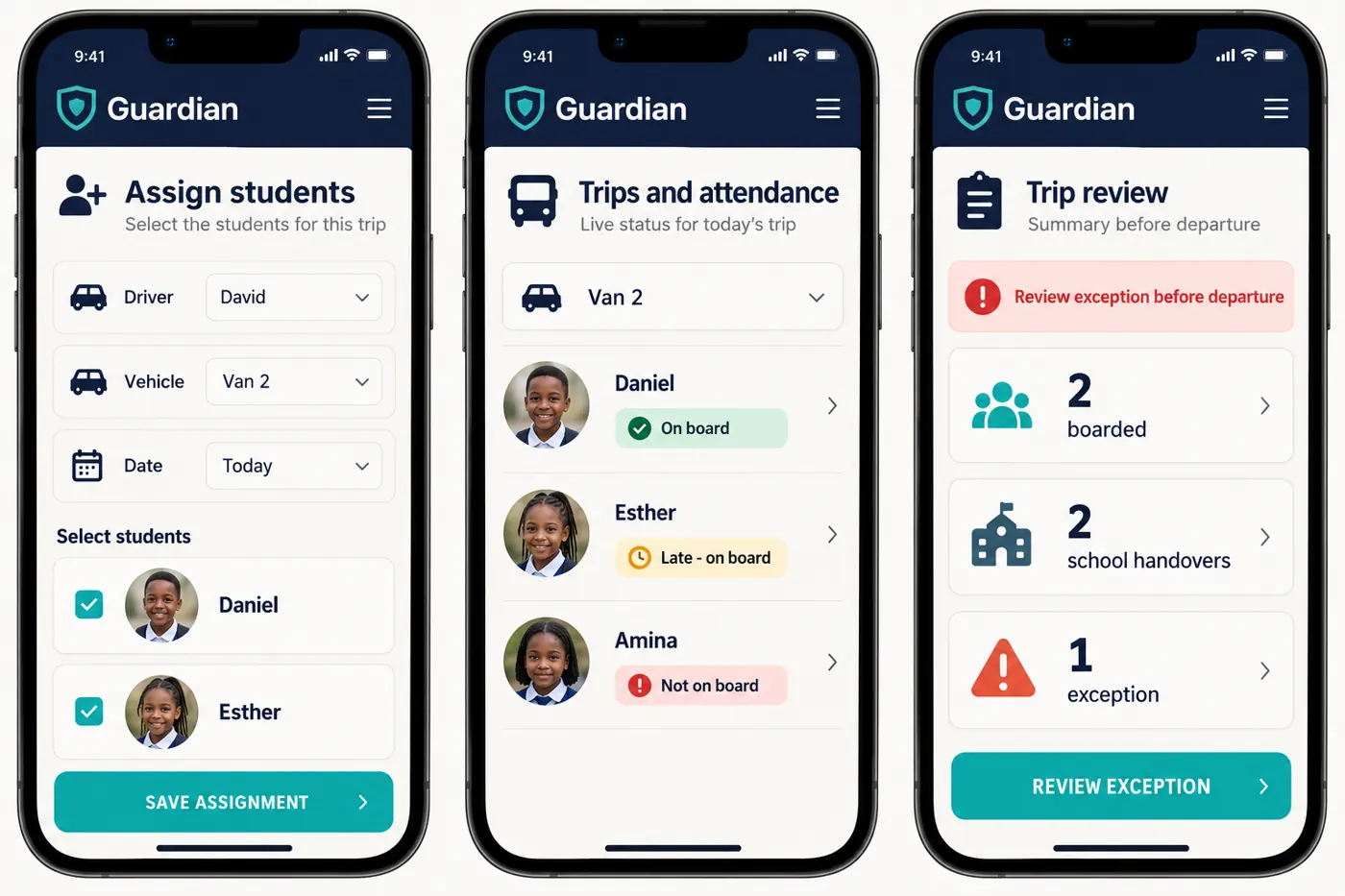
Every van run, accounted for
Drivers mark each child on board. A school staff member confirms the release to the driver. Parents see their own child's trip, never anyone else's.
- Vehicles need a plate, photo and capacity before any assignment
- Drivers see only the children assigned to their trip
- You decide which parents see van updates and journey location
 Illustrative data
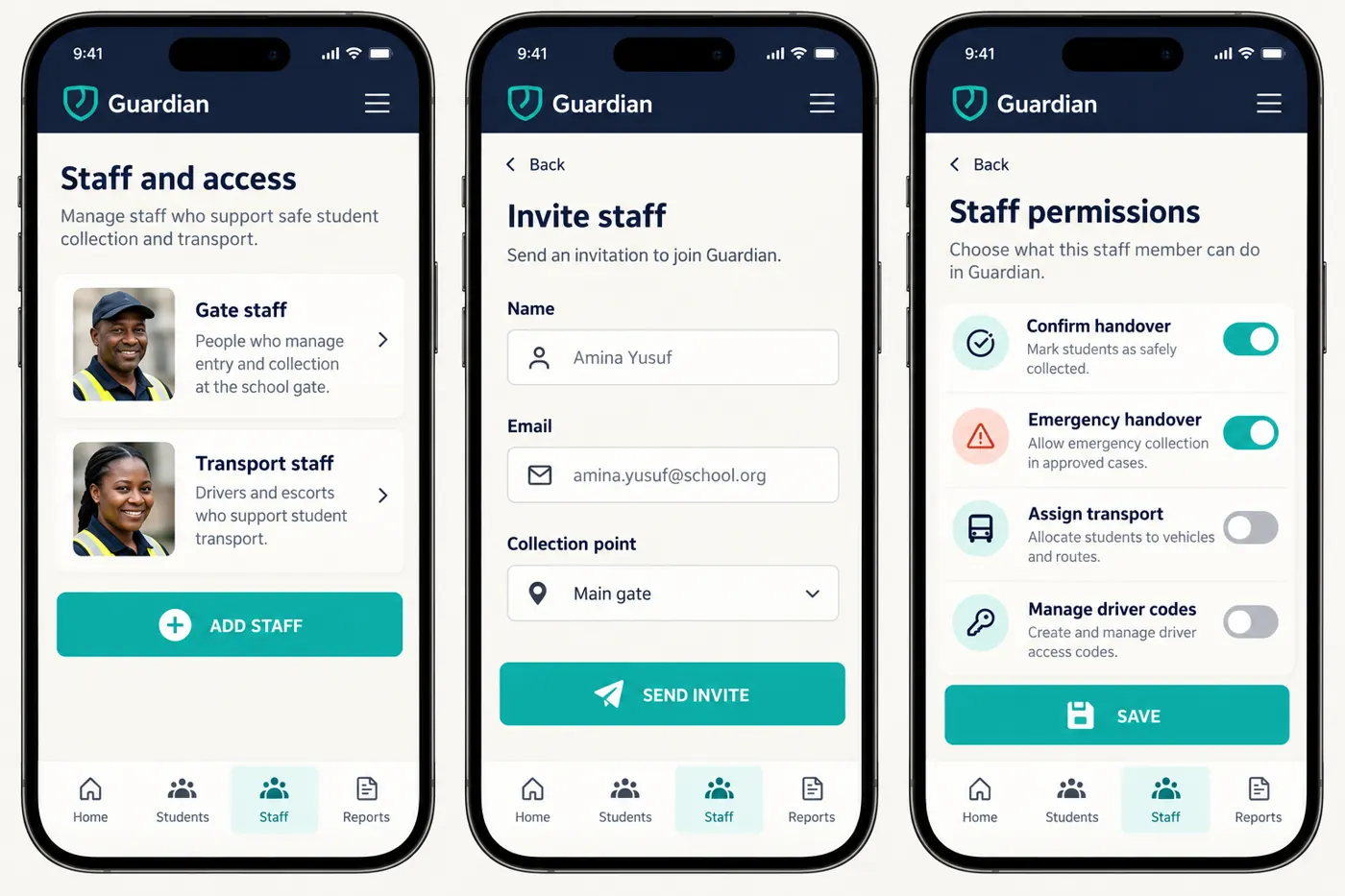
The right duties for the right people
Each staff member signs in with their own invitation and sees only what their role needs. Change or remove access in seconds when duties change.
- Collecting, inviting parents, managing transport and revealing codes are separate rights
- Owners and administrators confirm sensitive actions with an authenticator app
- Every action is recorded with who did what, and when
Live at your school in days, not months
-
We set up your school
Guardian creates your private school workspace and invites your School Super Administrator.
-
You add your community
Add students, collection points and staff, then invite parents with a personal link each.
-
Parents add pickup people
Families add trusted adults and receive codes. Your gates are ready from the first afternoon.
Questions from schools
Reviewing your dismissal routine? Read our school pickup safety checklist.
How does our school get started?
Send us a message through the contact form. We arrange a walkthrough with your team, create your school's private workspace and invite your School Super Administrator. You then add students, staff and collection points and invite parents.
Can different staff have different permissions?
Yes. Every staff member has their own account, and duties such as collecting, inviting parents, managing transport and revealing codes are separate rights you grant only where needed.
Can other schools see our records?
No. Each school sees only its own students, families, codes and files. A school name or logo is never treated as permission.
Can we export our collection records?
Yes. Collection history, arrivals and permission changes can be exported as Excel, CSV or PDF. Exports never include usable codes, raw locations or restricted case notes.
See Guardian at your school
We will walk your team through a real afternoon collection, step by step.